
1. Create the Artist weblink you want to share (Artists Defaults - Ical weblinks)
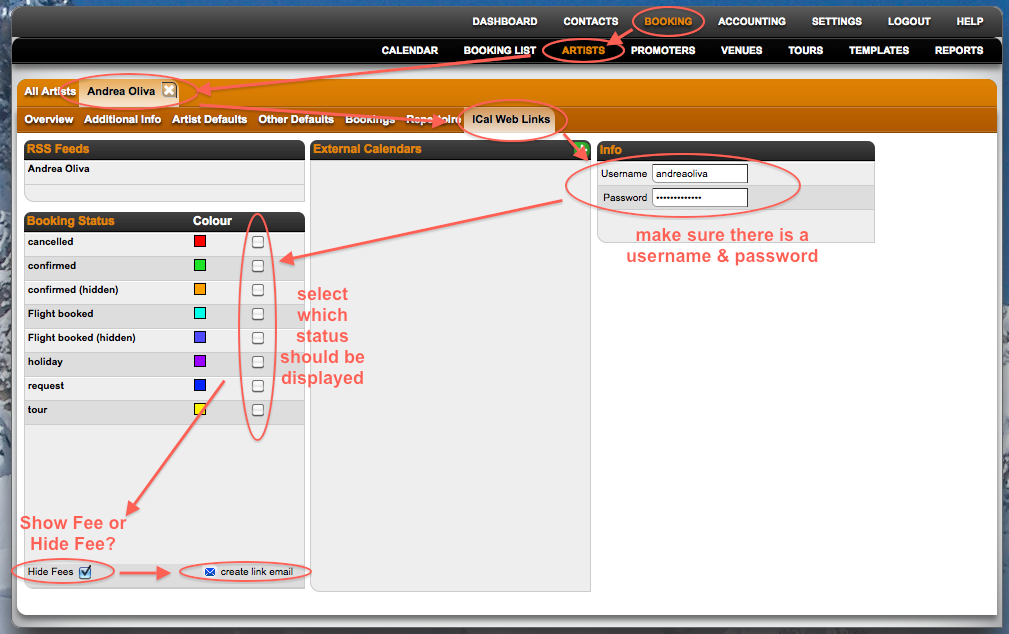
2. Pick the Ical link and send it to the Agency you share your artist with:
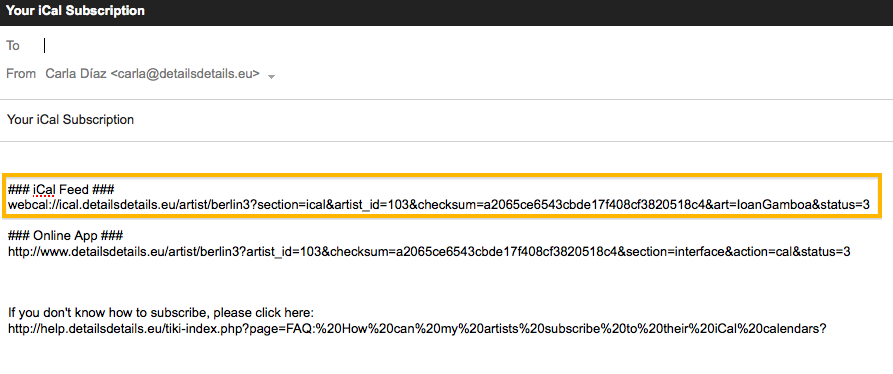
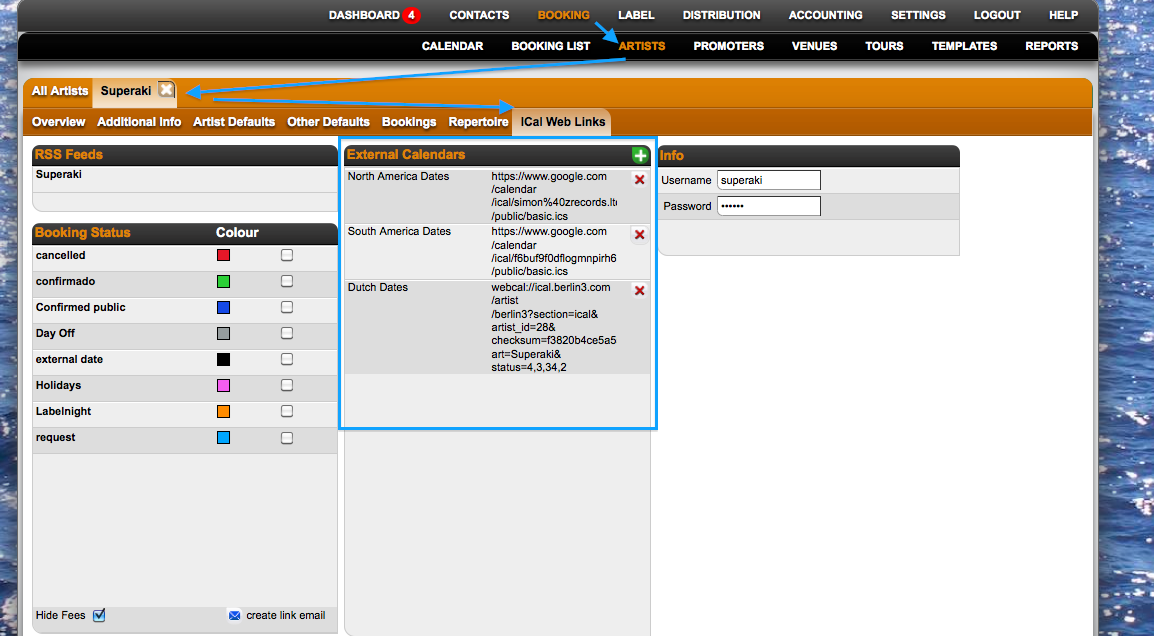
3. This exact link should be pasted on the Artist defaults: ICal web links - External dates section.
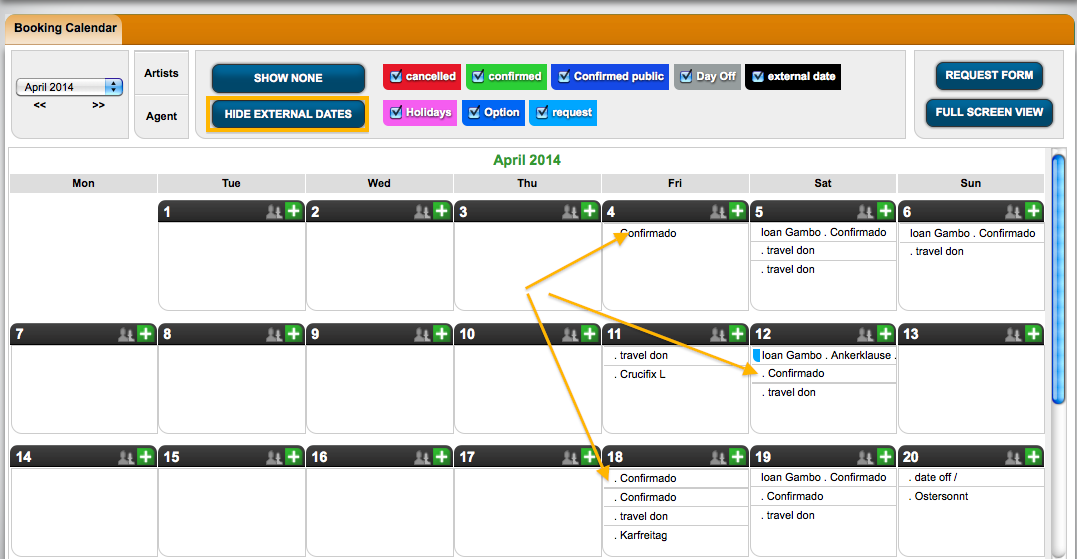
4. Now they can see your dates as 'External Dates' in the Main Calendar of their Details System, by clicking the 'Show external dates' button.
NOTE: The first time you add an external calendar there will be an update cycle of max. 12 hours. After that calendars are synched periodically.
2. Pick the Ical link and send it to the Agency you share your artist with:
3. This exact link should be pasted on the Artist defaults: ICal web links - External dates section.
4. Now they can see your dates as 'External Dates' in the Main Calendar of their Details System, by clicking the 'Show external dates' button.
NOTE: The first time you add an external calendar there will be an update cycle of max. 12 hours. After that calendars are synched periodically.